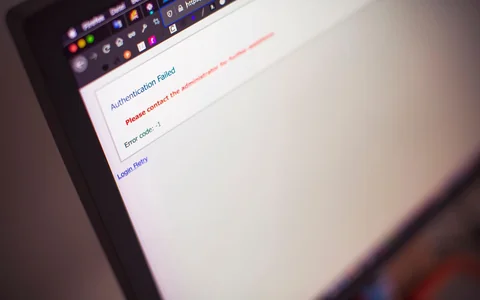
A potential customer clicks a link labelled “Pricing.” The destination asks them to sign in, or it displays a generic missing-page response. Staff can open it because their browser already has an account session. Before changing the login rule, identify which facts a buyer needs before registering and which facts genuinely depend on an account.
Test the actual link while signed out. Then decide whether to repair the public link, publish a separate explanation or retain the restricted route for its intended audience. The existing AI Visibility access checklist deals with general public access. This walkthrough helps the owner draw a boundary between purchase information and protected account details. AI Visibility site access checklist
Separate purchase facts from account facts
Start with a question someone asks before deciding to enquire, register or pay. A software buyer may need the plan names, included features and pricing unit. A service buyer may need coverage, the factors that affect a quote and what happens after an enquiry. A member might need a personal invoice, previous order or contract price. Decide which questions the business wants to answer publicly. Keep account-specific values and private data behind appropriate authorisation. OWASP authorisation guidance
| Buyer question | Typical public information | Information to protect |
|---|---|---|
| Which offer fits my needs? | Plan scope, eligibility and published limits | Account entitlements and usage |
| What might I pay? | Published price basis or quotation inputs | Negotiated rate and invoice |
| Can I use the service here? | Service area and public availability conditions | Personal address or account history |
| How do I start? | Public enquiry or account creation route | Account management actions |
| Where do I get help? | Public support or sales contact | Case history and customer records |
An exact price may depend on configuration, volume or eligibility. The public page can explain the variables and the process for obtaining a quote. Give readers enough information to decide whether to proceed. Keep the quote and any account-specific details in the appropriate workflow. For a subscription offer, describe which terms are public and where a signed-in customer can confirm their own plan.
Check the label of the link the buyer followed. A link called “View plans” sets a different expectation from one called “Manage billing.” Put the public comparison and account management routes in distinct places when both matter. A user can then choose the route that fits their stage without inferring the difference from an error or sign-in screen.
For example, suppose a training provider links “See course prices” to a student portal. The business might decide to publish the standard price basis, what the course includes and the dates used for the next intake. The portal can continue to hold individual discounts, invoices and enrolment history. If rates vary by cohort, the public page can say which course and date the published figure applies to. The customer can then decide whether to enquire while the account route still serves returning students.
Create a short list of claims to check for each offer. Include the currency and unit if a price is public, the audience and relevant restrictions, and the step needed to receive an individual quote. Mark the claims the owner approved and the ones that still require confirmation. When two pages contain conflicting figures, establish the current source before copying details into another template. The aim is to give the buyer one maintained explanation that can be used independently of their session.
Test the public route without a saved session
Open the exact URL in a fresh browser profile and record the initial address, final address, status and visible page. Test the link from the source as well as loading it directly. A navigation flow can carry state that a direct link does not have. If the link should be shareable with a prospective customer, the direct signed-out result matters. Capture the expected content marker so the owner can distinguish a public offer from a sign-in page that uses the same branding.
Use an ordinary GET without credentials or a saved cookie jar for a reproducible baseline. Save the headers and body. A redirect to a login route may end with a 200 response. Read the chain and the final content together. Some applications return a 401, 403 or 404 instead, depending on their intended behaviour. A single status does not establish whether an old page is retired, an application is restricting access or a route is temporarily broken. HTTP semantics, RFC 9110
url='https://example.com/replace-with-the-reported-link'
curl --silent --show-error --location --max-redirs 8 --max-time 20 \
  --dump-header route.headers --output route.html \
  --write-out 'status=%{http_code} final=%{url_effective}\n' "$url"
grep -iE '^(HTTP/|location:|content-type:|www-authenticate:)' route.headers
In the browser, check whether the expected price or scope appears. A response may contain a heading, a password form or an application shell without the actual buying information. Save a description of what is visible in the clean state. If an authenticated comparison is required, use an approved test account and avoid copying private records into the audit. Stop at the sign-in page when the task only concerns the public route.
Compare public pricing with account billing
GitHub provides a public pricing page with plan comparisons and published billing units. Its billing documentation separately points account users to a personal settings route. This makes the two reader tasks easy to identify before testing. Someone deciding between plans needs the public comparison, while someone checking personal usage needs the account workflow. GitHub pricing · GitHub billing and licensing documentation
On 6 November 2026, an ordinary GET of the public pricing page returned HTTP 200 and HTML. A fresh 390-pixel-wide Chrome session also received HTTP 200, showed the pricing page’s heading and showed no password field in the tested view. An ordinary GET of the documented personal billing address returned HTTP 404 with a plain-text Not Found response. A fresh Chrome session received HTTP 404 at that same address. Neither tested client was signed in. GitHub pricing · Documented personal billing address
The observations show what these signed-out clients received. GitHub’s documentation identifies the billing route as an account settings destination. The test did not establish what an authorised user sees or why GitHub selected 404 for the requests. This is a reason to compare the route’s documented purpose with its signed-out result. The status code alone does not provide that context.
GitHub also uses public communication to explain product experiences. Its Universe article embeds an official GitHub Instagram reel alongside public event information. A social or event announcement can introduce an offer. The public destination is where a prospective customer can check current scope and decide whether an account is needed for the next step. GitHub Universe article and official GitHub Instagram reel
Look for mixed states when troubleshooting your own page. The main document might load anonymously, while a later request for plan details fails because it requires an account. In that case, inspect the response and Network panel separately. Record which component needed the protected data and whether the page had a public fallback. Conversely, an article might show a public plan comparison but deliberately send an existing customer to sign in when they choose “Manage subscription.” Test the two actions by their labels and intended audience.
Choose the repair that preserves the access boundary
If a pricing link mistakenly points at account settings, repair the link and verify the public destination. If the business has no public explanation, publish the agreed plan scope, eligibility and quote process on a page buyers can reach before registering. If an account is required only when taking an action, explain the requirement next to that action. Keep account-specific prices and records protected.
Check public delivery with the same care you apply to the restricted route. Avoid sending protected content in public HTML or client data and relying on a visual overlay to hide it. OWASP recommends validating permissions on requests. Google’s separate paywall documentation addresses certain creative works a publisher wants crawled and indexed. That is a specific publishing model. Ordinary private account information belongs under the business’s security policy. OWASP authorisation guidance · Google paywalled content guidance
Google’s technical requirements describe public access as part of ordinary indexing eligibility. Use vendor-specific inspection when the question concerns a particular public page. A restricted account route may be performing its intended job even when a search tool cannot access it. Keep the search check focused on the public explanation and its internal links. Google Search technical requirements · Google Search Console URL Inspection
When a separate public page is added, connect it from the places prospective customers already use. Review a service page, public help article and any campaign that promised a price comparison. Keep the signed-in link available where account holders will expect it. The two routes can sit beside each other if each label explains the purpose. After a pricing update, check both the public content and any sign-in route linked from it, especially if the team changed the names of plans.
Do the same for a download. A public summary might link to a protected file that contains a customer-specific quote. If the file needs an account, label that condition and explain how the reader can request their own quote. If the business intended a public price guide, test the exact download separately from the page that links to it. An accessible landing page says little about whether a reader can open its attachment.
Verify both sides of the change
Use a Public purchase information record with the reported link, intended audience, expected facts, signed-out response, visible result, protected fields and owner. Write an acceptance statement for the public page. A new customer should be able to compare the published plans and see how to enquire without first accessing personal billing. Write a separate acceptance statement for the restricted page. Test that the change leaves account records available only through the approved workflow.
Repeat the original entry link after publication and open the public page directly. Check that the buying facts are visible and the next action says what it will do. If the team has an authorised test account, check the account path in a separate session. When permitted logs are needed to distinguish application routing from a denial, correlate the exact path and time while limiting what is shared. The worked example used public HTTP and browser checks and accessed no private logs.
Record where the test ended. A signed-out browser can verify the comparison and whether the next button leads to an account step. A separate authorised test is needed to verify what happens after entering details. Keep those results apart when closing the issue. The public finding is meaningful even when account-side testing belongs to a different owner.
AI Visibility is published by Lunasol, which offers GEO and AEO services. The worked observations use signed-out public requests and fresh Chrome sessions. About AI Visibility