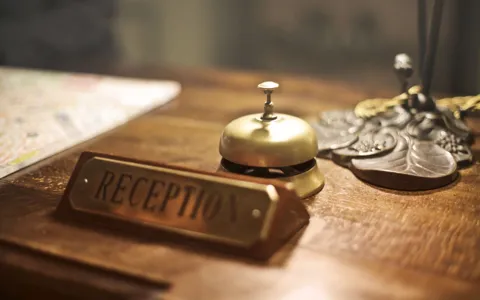
Publish holiday hours as dated exceptions to a regular schedule. Name the branch, the affected dates and the service those hours apply to. Give someone responsibility for checking the public display before the holiday and for removing temporary notices afterwards. A correct announcement can still mislead if it remains in a website banner after the business returns to its normal schedule.
Start with the questions customers will ask before leaving home. Is this branch open on the day I want to visit? Can I use the service I need during those hours? What happens if I arrive late in the evening? Make those answers easy to find whether someone starts in Maps, on a branch page or with a saved social post.
Disclosure. AI Visibility is published by Lunasol, which offers GEO and AEO services. The operator examples describe historical public announcements. No branch visit, booking or profile edit was performed. About AI Visibility
Approve the exception before publishing it
Ask the operating owner to confirm the location, dates, opening intervals and service scope. Record the usual schedule separately. If a branch remains open while a counter closes, give the counter its own line. If the booking team and premises operate at different times, label each. A customer should be able to tell which hours apply to their intended action.
Use calendar dates with the year. Give the local time basis where the audience or systems could confuse it. If hours cross midnight, explain which night they apply to. For a fictional branch operating from 9 pm on Thursday until 1 am on Friday, give both day names in the notice. “Thursday until 1 am” alone can send a reader to the wrong evening. Keep the same interpretation in the schedule entered on each platform.
Some businesses plan for a holiday before their own operating schedule is approved. In that case, use a draft record with a named approver and a date to revisit it. If the public page needs a notice before confirmation, state when the business expects to provide the schedule and where the update will appear. Avoid using last year's dates or hours to fill a gap. A recurring holiday can still have a different timetable, even at the same branch.
| Schedule field | What to record | Why it matters |
|---|---|---|
| Branch and service | Exact location and affected counter, booking or visit | Keeps a local exception from becoming a network claim |
| Effective dates | First and last date, including the following day for overnight hours | Prevents an ambiguous midnight boundary |
| Status and intervals | Open, closed or operating in separate blocks | Helps customers understand breaks and closures |
| Approval and publication | Operating owner, confirmed time and surfaces to update | Makes disagreements traceable |
| End of exception | Normal schedule to resume and notices to retire | Prevents yesterday's notice from looking current |
Read a dated branch schedule as a historical source
Al Ansari Exchange published a branch timetable for 27 and 28 May 2026 for Eid Al Adha. Its Abu Dhabi section lists branch identifiers and separate columns for Wednesday and Thursday. For example, the Al Dhannah City row gives a noon opening on 27 May and 10 am on 28 May, with a 10 pm close both days. The Abu Dhabi Mall row shows 9 am to 11:30 pm on both dates. The example shows why a network-level holiday headline needs branch and date detail. These were the published schedules for those dates. Al Ansari Exchange Eid Al Adha 2026 branch timetable
Use the document title and dated columns to establish the period the schedule describes. A file can remain available long after its dates pass. Its continued presence supplies a record of what the business published. Someone planning a visit now needs the current branch schedule. If you keep an old timetable accessible, label it as historical where it is linked and give readers a route to the current hours.
A separate example comes from Vélo Presto. Its official Instagram post dated 19 March 2026 invites people in Dubai to enquire by direct message about doorstep bike servicing during Eid. The caption describes the mobile service without giving branch opening and closing times. The operator's contact page links its Instagram account and includes that post in the site feed. If you cite this example, keep the claim about the mobile enquiry route with the post and use a separate schedule for any workshop-hours statement. Official Vélo Presto Eid post, Vélo Presto contact page
Choose the right fields on the website and Google
Keep normal hours in the maintained branch record and put temporary dates in a separate exception. On the website, show the current dated notice beside the regular hours or where a reader starts booking. Include a link to the affected location if a network banner is necessary. Where readers choose a branch from a finder, check whether the finder repeats regular hours without pointing to the holiday schedule.
Google's Special hours guidance describes adding dated exceptions without changing regular hours. It says special hours display only on designated dates and instructs businesses to have their profile set to open with main hours for those exceptions to show. It also suggests confirming holiday hours even when they match the usual schedule. Use the field for the dates the operator approved and then check what the public profile displays. Google Business Profile Special hours guidance
Check the operator's actual closure length before choosing a status. Google's Special hours page describes short closures of up to six consecutive days and points to temporary closure for seven or more days. Google's closure page describes Special hours for seven days or less and temporary closure for more than seven. For an exactly seven-day closure, those published instructions differ. Verify the current workflow for the profile or seek clarification before choosing the status. This ambiguity does not affect a one-day holiday exception. Google Special hours guidance, Google business closure guidance
For extended overnight hours, Google's Special hours documentation describes splitting an interval that starts before midnight and goes past noon the next day. It explains that special hours can override the following day's regular hours in that example, so any later opening on that day needs its own entry. Use the documented setup for the relevant situation and check both dates in the public schedule. Google Business Profile Special hours guidance
Publish from one record and verify each customer route
List the surfaces that repeat the affected schedule. These may include the branch page, Google profile, store finder, booking widget, phone message and social notice. Give the team an approved row for each location and service. Make the owner of each surface responsible for confirming the visible result. A saved edit is evidence that the team made a request. It takes a public recheck to know what a customer can see.
Check one unchanged branch as well as the ones with exceptions. A network update can overwrite hours at locations that should keep their regular schedules. If a temporary banner applies to only two locations, make sure the banner names them and links to their details. Check that language editions carry the same date range and that translated day names agree with the dates.
Try to complete a realistic route. Open the profile for the exact branch, check the holiday date and follow its website link. Then start on the branch page and open the booking route. If a visit is possible but the service desk has reduced hours, the distinction should remain clear at both points. If an appointment form still allows a request outside the intended period, flag the mismatch with the booking owner.
Consider a fictional two-branch retailer. Its mall branch will trade in the evening on a holiday, while its street branch will close for the day. The mall branch's collection counter will close before the shop. The operating record needs three decisions. The street branch needs a dated closure, the mall branch needs its dated trading interval, and the collection team needs its own cutoff. Put those decisions where customers choose their branch or service. A network-wide announcement that stores are open would send the wrong message to two of those audiences.
Give the booking owner a test case for each branch. For the mall location, check whether the collection interface still offers a time after the approved cutoff. For the street location, check whether a confirmation message promises a visit on the closed day. If the platform cannot represent the counter's hours clearly, keep the explicit cutoff on the branch and booking pages, then verify that the profile's main exception still describes the shop accurately.
Set a separate check for the day after the holiday. Imagine the mall branch's evening schedule ends at midnight, but its regular opening resumes the following morning. The team should verify the regular schedule after the override has passed and inspect any notices scheduled to expire. If a saved URL still opens a historical announcement, make the old dates visible before the timetable. This way the branch can preserve the announcement as a record and give the next visitor a direct route to current information.
End the holiday notice as deliberately as it began
Before publishing, set a date and time to remove or replace any temporary banner. If the site supports scheduled expiry, verify what the page will show afterwards. Keep the underlying regular schedule available. If a branch needs a different schedule after the holiday, confirm it separately so the site does not automatically restore an outdated one.
Social posts and PDFs often outlast a campaign. Put full dates in the post or document so a reader who finds it later can recognise the period. Where you can edit an evergreen landing page, label older schedules and link to current branch information. If a saved post cannot be updated, keep the destination it links to useful, with the applicable dates visible near the top.
On the first ordinary operating day, check the public profile and site again. Confirm that the temporary message is gone or clearly archived and that the hours relevant to the next visit are visible. Ask the booking or reception team whether enquiries are still arriving from an old notice. Use those reports to identify where the outdated material remains accessible without context.
Holiday hours publication record
- Branch, service and regular schedule
- Dated exceptions and local time intervals
- Operating approver and confirmation date
- Website, profile and booking surfaces updated
- Social and downloadable notices with full dates
- Expiry owner, planned removal and public recheck
- Unresolved differences and next action
Keep the record for the next planning cycle. Reuse the list of surfaces and owners, then obtain new approval for the dates, hours and branch scope. That makes each holiday update faster and keeps a previous announcement from becoming this year's instructions.